Course Structure
Once you have access to an e-learning course and have opened it, you'll see a clear interface with two main tabs. Each tab has its own function to optimally support you during learning.
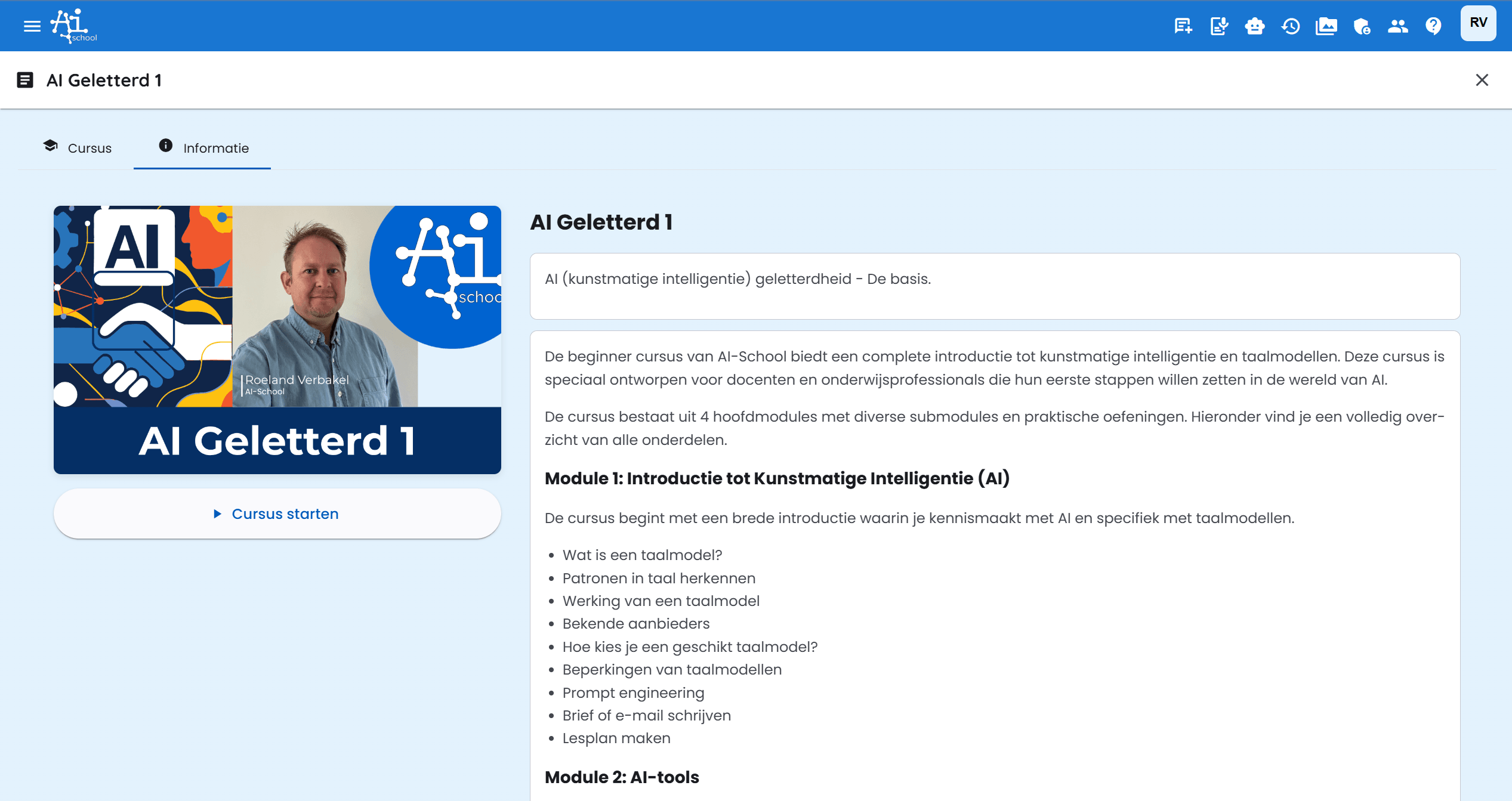
The Two Tabs
1. Course
The Course tab is the heart of the course:
- Here you'll find all course materials
- Lessons are logically structured in a skill tree
- You can track your progress
- Materials can consist of text, videos, interactive exercises
- Lessons build upon each other for an optimal learning experience
2. Information
The Information tab contains:
- General information about the course
- Learning objectives and expectations
- Overview of what you will learn
- A start button to begin the course immediately
This is a helpful place to return to when you want to learn more about the course.
Navigating Between Tabs
You can easily switch between the different tabs by clicking on them. Your progress is automatically saved, so you can always return to where you left off.
Tips for Effective Use
- Check the Information tab to be well-prepared
- Follow the Course tab systematically for the best learning experience
- Take your time - the course is designed to be completed at your own pace
