The Learning Path
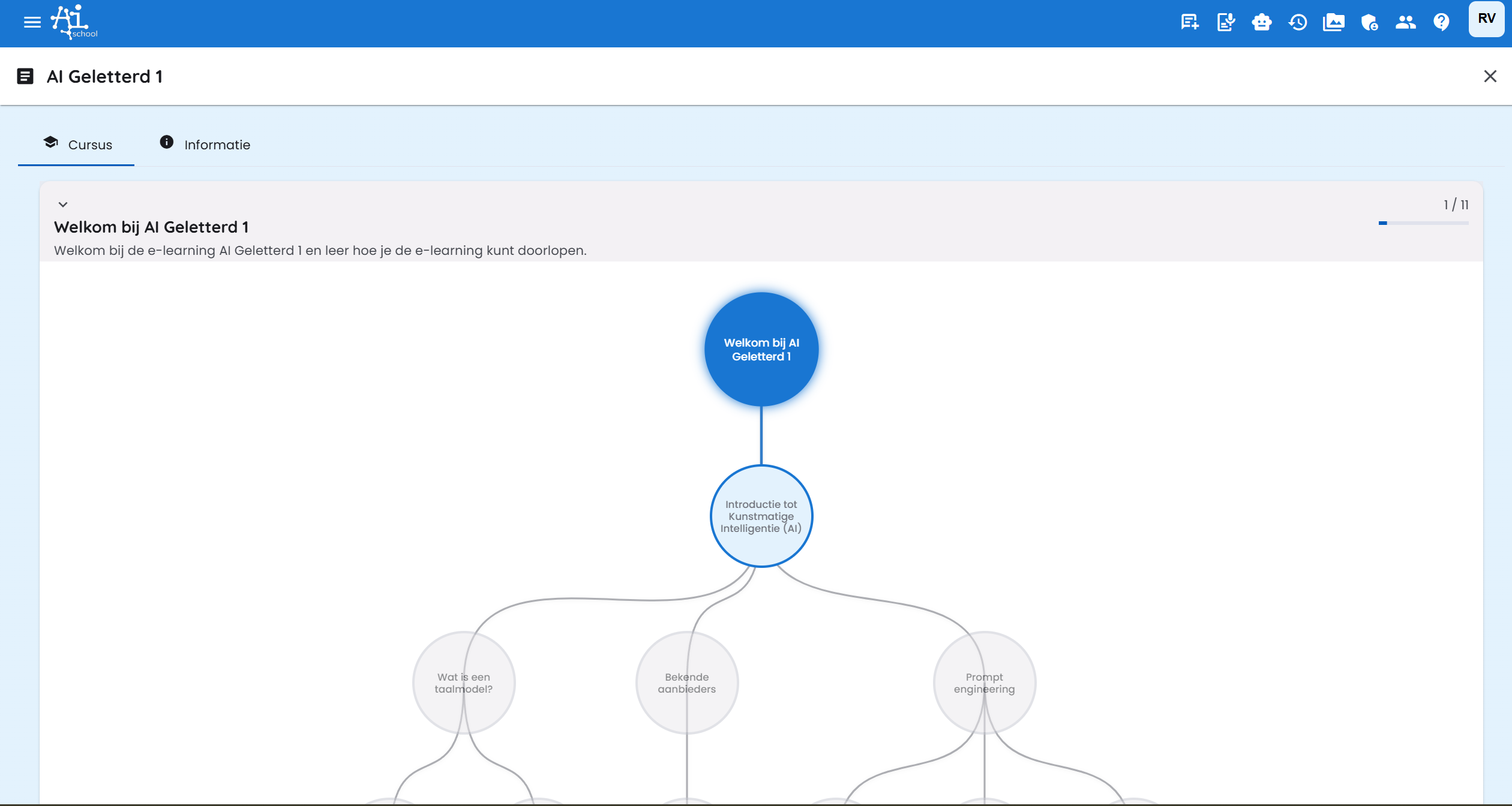
The learning path in AI-School visually and logically shows your learning journey. It ensures that you learn the right skills in the right order for an optimal learning experience.
How Does the Learning Path Work?
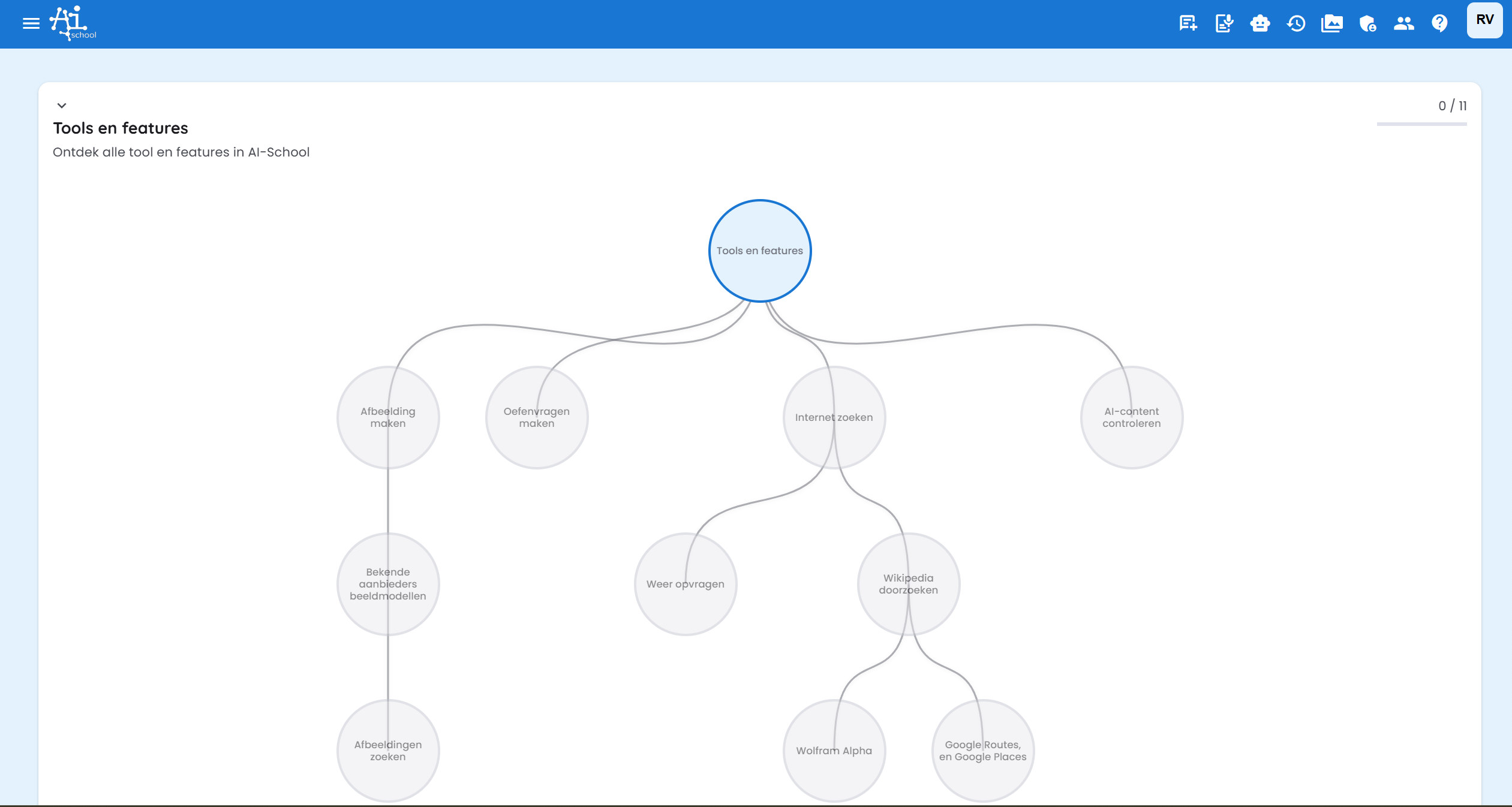
The learning path is structured as a skill tree where skills logically build upon each other:
- Basic skills form the foundation
- Advanced skills become available only after learning the basics
- Connection lines show which skills must be learned first
Colors in the Skill Tree
The skill tree uses a color system to clearly show your progress:
- Dark blue: Skills you have completed
- Light blue: Skills you can work on (available)
- Gray: Skills that are not yet available
How to Use the Learning Path?
Step 1: Select an Available Skill
Click on a light blue skill to open it. These are the skills you can currently work on.
Step 2: Watch Video and Do Exercises
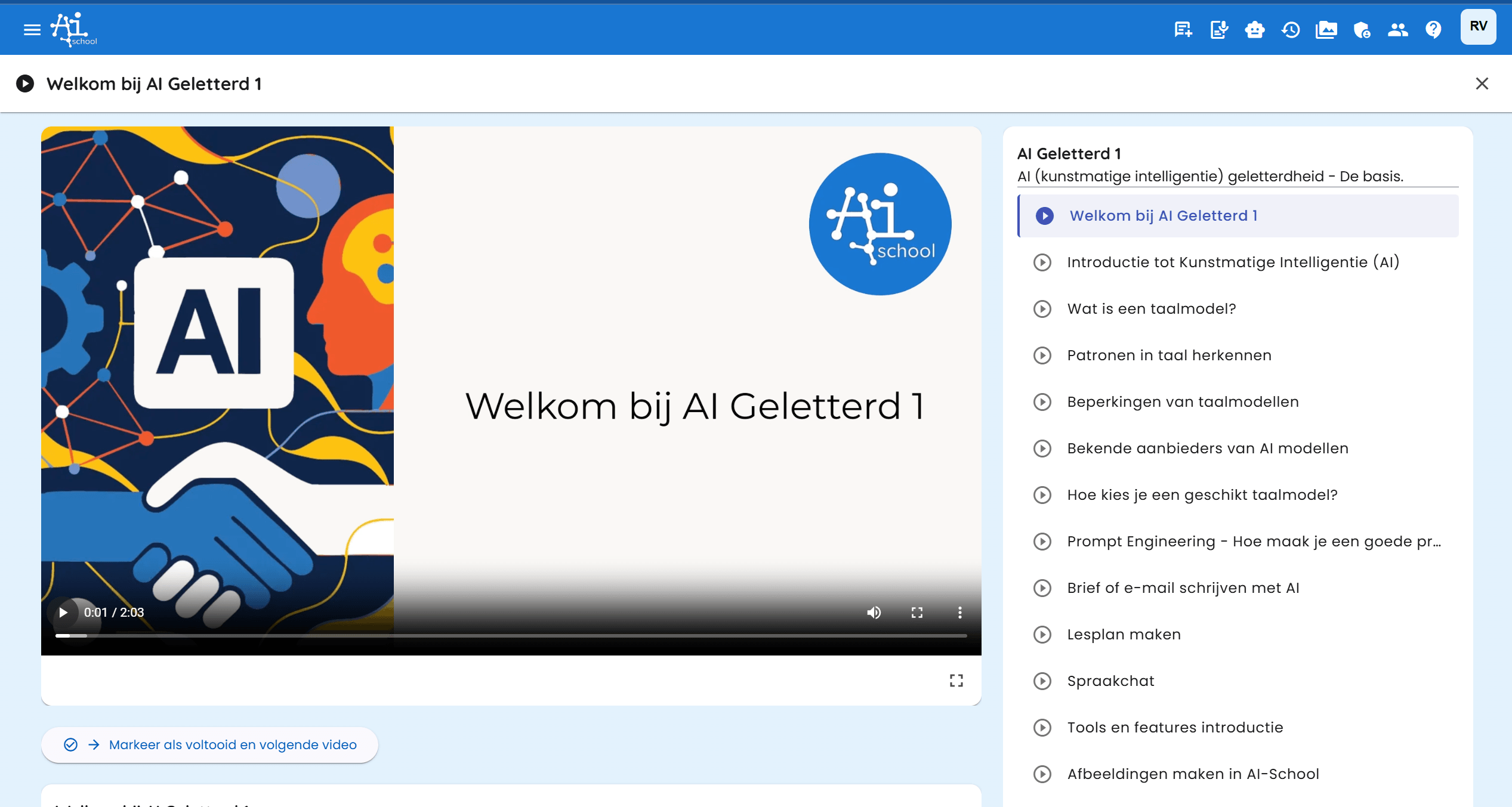
You will now arrive at the video page where you can:
- Watch the video with explanations and examples
- Do exercises to practice the material
- Maintain your own pace while learning
Step 3: Mark as Completed and Continue
When you are done with the video and exercises:
- Click "Mark as Completed"
- Continue to the next video
- Repeat this process until you have learned all skills
Step 4: Check Progress
When you return to the skill tree page, you will immediately see:
- Which skills you have completed (dark blue)
- Which skills you can continue working on (light blue)
- Which skills are not yet available (gray)