Access to E-Learning
To use the e-learning modules, your school's administration must first order learning modules through AI-School. Once this is done, you will gain access to the knowledge base where the e-learning courses are available.
Navigating from the Dashboard
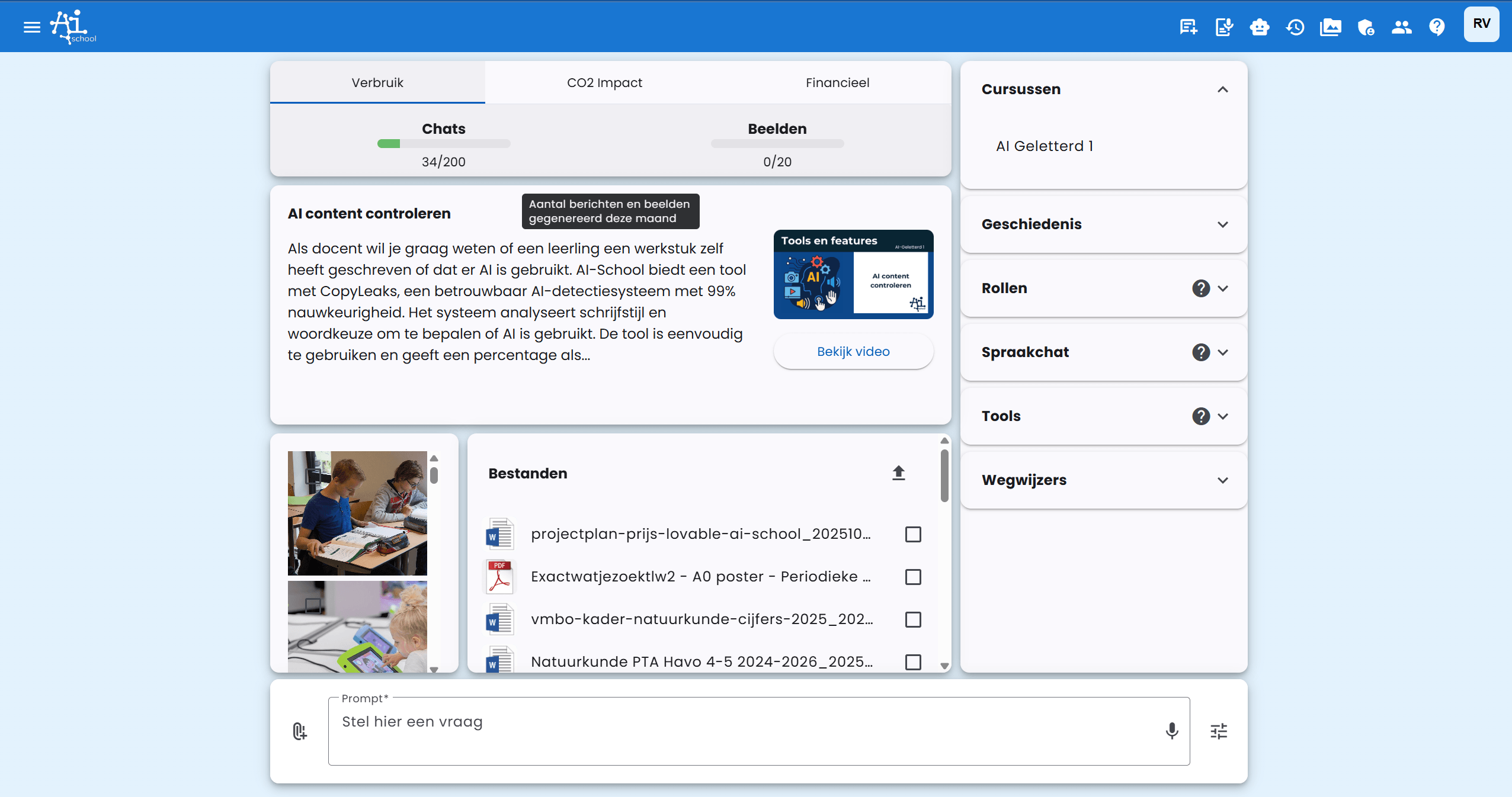
The fastest way to access your e-learning courses is directly from the dashboard:
- Open the expandable menu on the right side of the dashboard
- Click on Courses to see the list of available courses
- Select the course you want to access
Navigating to the Knowledge Base
To access the knowledge base:
- Click on the question mark (?) in the top right corner
- Then click on Knowledge Base

Access to Courses
If your school has ordered learning modules, an additional tile for each course will appear in the Knowledge Base. These tiles provide direct access to the available courses.

By clicking on a course tile, you will gain access to that specific e-learning module.
What if You Don't See a Course Tile?
If you don't see a course tile in the knowledge base, this could mean that:
- Your school has not yet ordered learning modules
- There is a technical problem
In this case, contact your school's administration or AI-School support.
