Mobile App
AI-School is also available as a mobile app. The app is optimized for use on tablets, phones, and small laptops, making it easier to open and use AI-School on different devices.
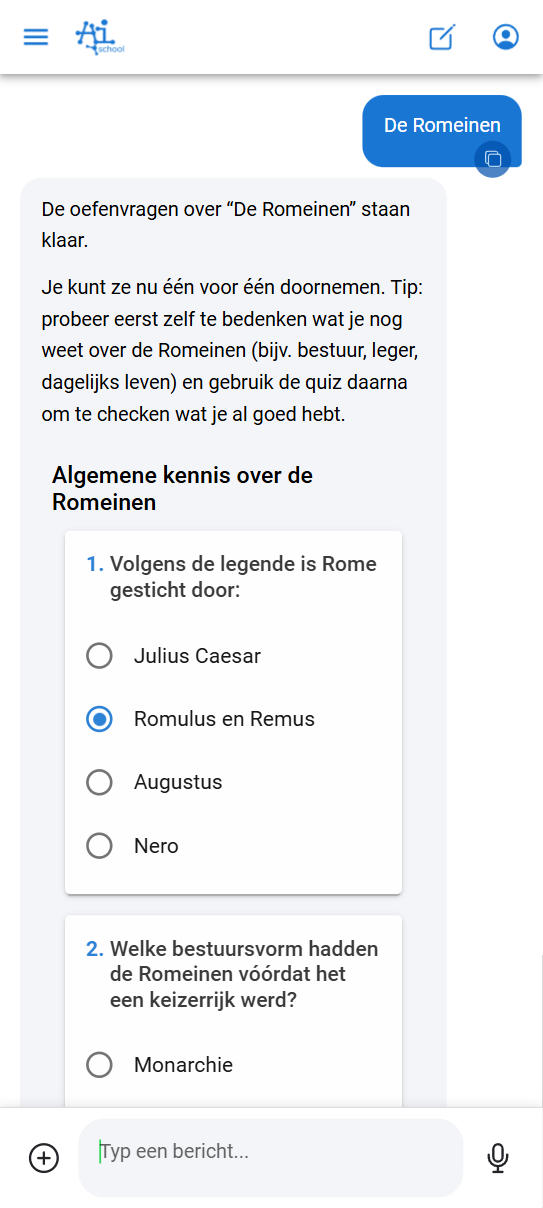
Two Versions of AI-School
AI-School is available in two versions:
| Feature | Standard App | Mobile App |
|---|---|---|
| URL | ai-school-pro.web.app | ai-school-mobiel.web.app |
| Features | All features including admin section | Core functionality without admin section |
| Interface | Fewer buttons, clearer overview | Optimized for touch and small screens |
| Target audience | Desktop and laptop users | Tablet and mobile users |
Benefits of the Mobile App
The mobile app offers the same core functionality as the web version, but with an interface better suited for smaller screens and touch control:
- Opening conversations is faster and more organized
- Asking questions is optimized for touch control
- Uploading documents works seamlessly on mobile devices
- Working with AI on assignments or ideas is more intuitive
- Asking questions about AI-School also works in mobile chat; the AI can use the manual in the background to explain how the app works
Who is the Mobile App For?
Students
The app is especially useful for students:
- On tablets in class (depending on school policies)
- At home on tablet or phone
- On the go, for example on the train or bus
Teachers
The mobile app can also be practical for teachers:
- Check or prepare something while on the go
- Continue working without a laptop
- Quickly ask a question to the AI
Add to Home Screen
When opening the mobile app, you'll receive instructions to add the app to your home screen. This allows you to open AI-School directly as a regular app, without having to open a browser first.
By adding AI-School to your home screen you get:
- A dedicated icon on your home screen
- Faster access without browser
- An app-like experience
Video Tutorial
Watch the video below for a step-by-step explanation of how the mobile app works:
Which Version Should I Use?
- Use the standard app when you're at a computer or laptop and need access to all features, including admin functions
- Use the mobile app when you're working on a tablet or phone and want an optimized experience for touch control
Files and transcription on mobile
Files uploaded in the mobile app are registered and processed in the same way as in the web app. Images are ready quickly; documents and audio files first receive a processing status. Once processing is complete, the content can be used in chats and assistants.
For transcription, the mobile app can upload audio parts automatically while recording. About once a minute, an audio part is processed in the background so you can see progress and a long recording is better protected against connection loss or an empty battery. When you stop recording, the complete final recording is processed too. Interim parts stay linked to the transcription but do not clutter normal file management.
Recording in the Android app
The Android recording screen follows the app language and theme, with a top bar and bottom tabs. Audio is saved locally first. Save, Back or switching tabs stops and saves the recording on the device without starting processing; you can resume it later. Stop recording lets you choose processing with or without speaker recognition.
